
Creating credential
Setting up Linked API in n8n requires two steps: getting your API tokens and creating credential. This guide walks you through both steps.
Getting your tokens
- Sign up at Linked API Platform.
- Choose your plan and start your 7-day free trial.
- Connect your LinkedIn account (it takes about 2 minutes).
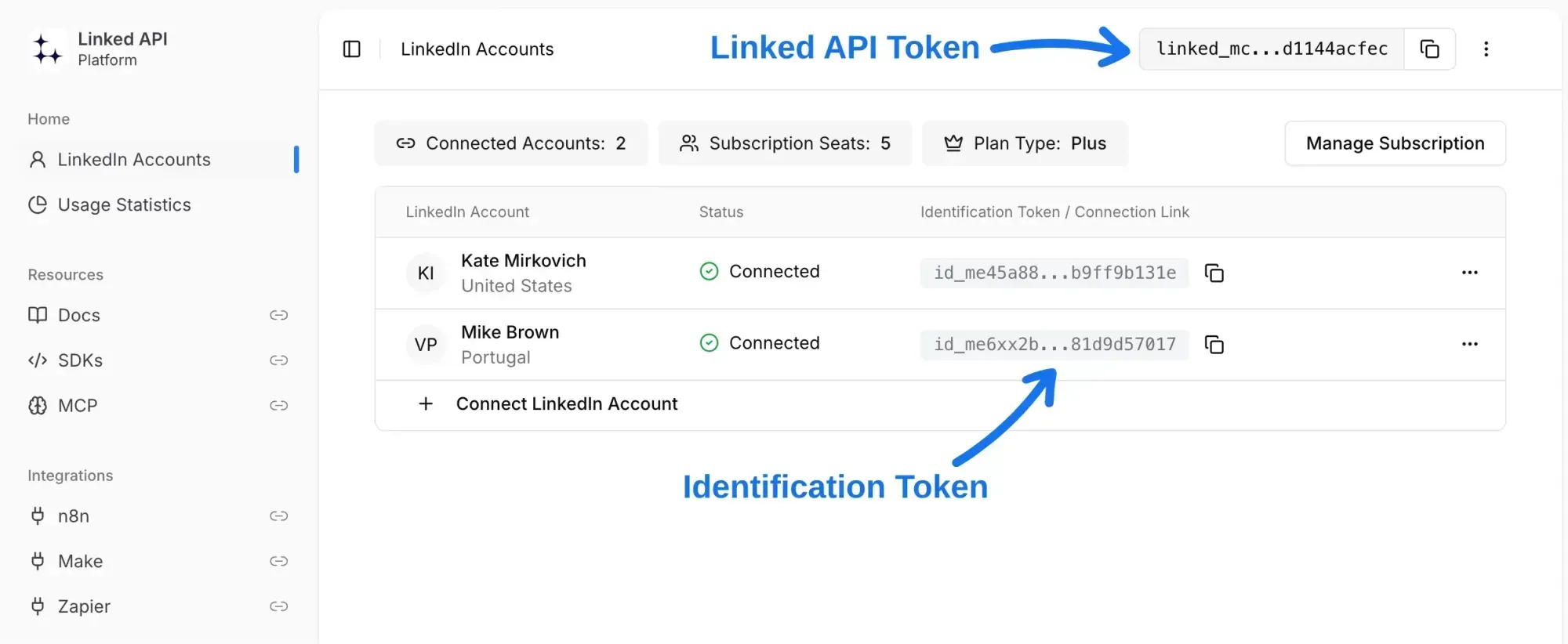
- Copy your tokens from the dashboard (as shown below):
Creating n8n credential
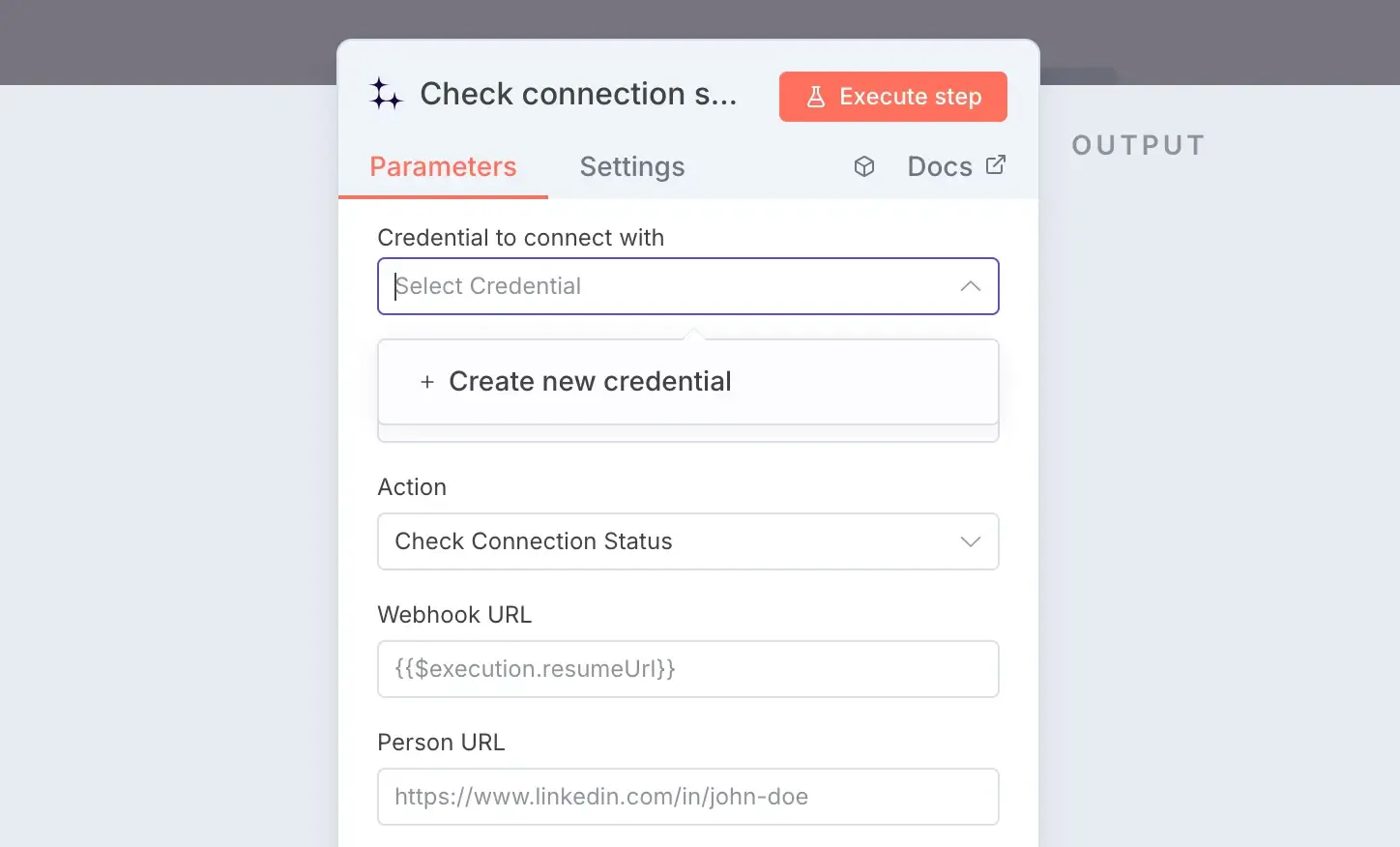
- In your n8n workflow, add any Linked API action.
- Click the "Create new credential" in the action settings.
- Paste your tokens into the displayed fields.
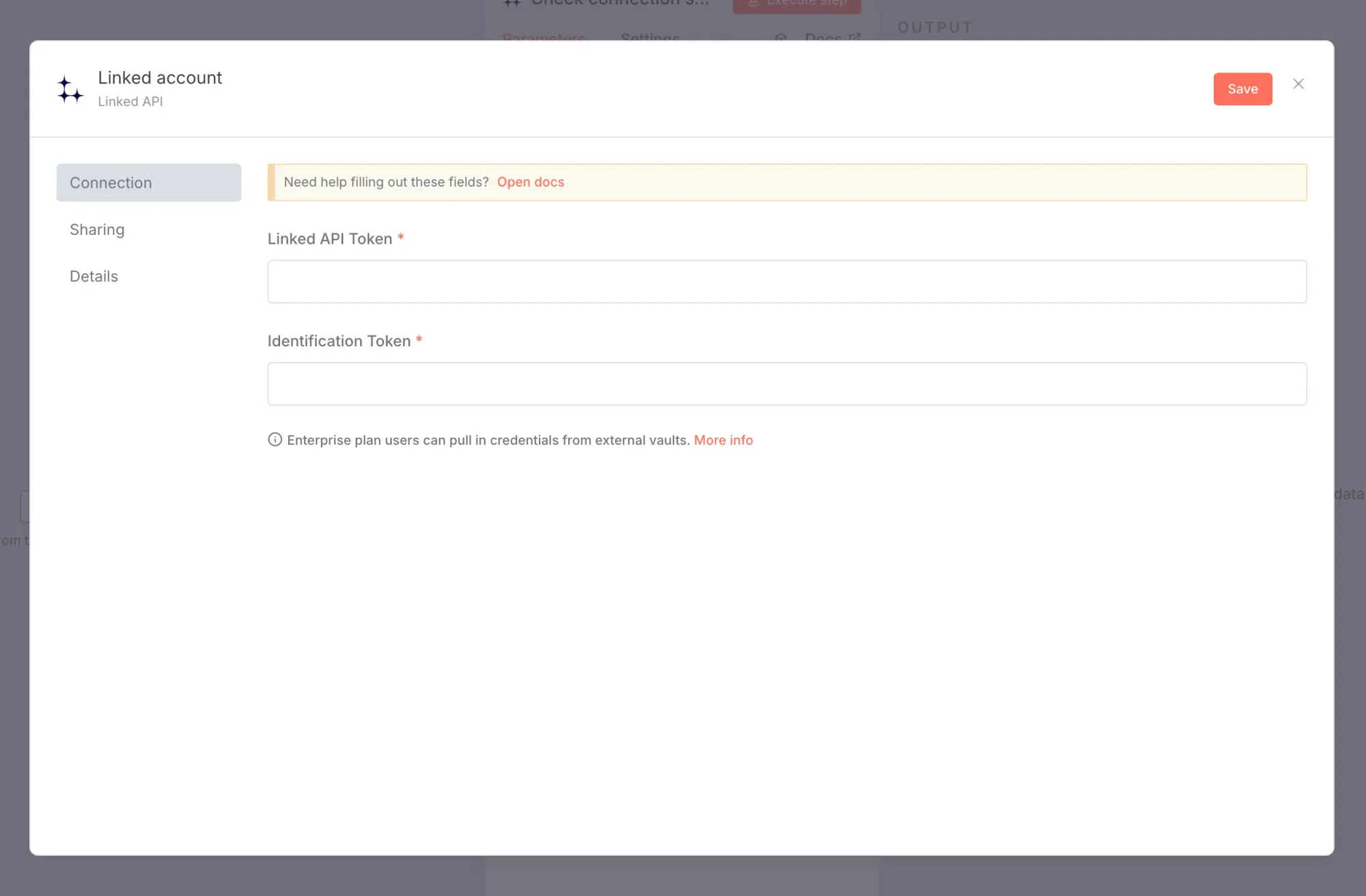
- Click "Save". Your credential is now ready to use.
Multiple LinkedIn accounts
If you manage multiple LinkedIn accounts, create a separate credential for each one. Every account has its own Identification Token, while the Linked API Token remains the same. You can then switch between accounts by selecting different credentials.